by
by SQL Server Transparent Data Encryption, also known as TDE, is a “data at rest†encryption mechanism that is introduced in SQL Server 2008 as an Enterprise Edition feature. TDE is used to perform a real-time I/O encryption for the SQL Server database data, log, backup and snapshot physical files, rather than encrypting the data itself, using either Advanced Encryption Standard (AES) or Triple DES (3DES) encryption.
Transparent Data Encryption encrypts the database data files using a Database Encryption Key. The Database Encryption Key is a symmetric key that is secured by a Certificate and a Master Key stored in the master database, preventing these data files from being viewed outside the current SQL instance. However, if the database data files or the backup media are stolen, the data thief will not be able to attach the database data files or restore the backup files to another SQL instance without the encryption keys. TDE also prevents the data and backup files from being opened in a text editor to view the database file’s contents.
The TDE encryption process, as the name indicates, is transparent from the users and requires no change from the application side. Transparent Data Encryption encrypts the physical files at the page level before writing the pages to the disk, and decrypts the files when the pages are read into the memory.
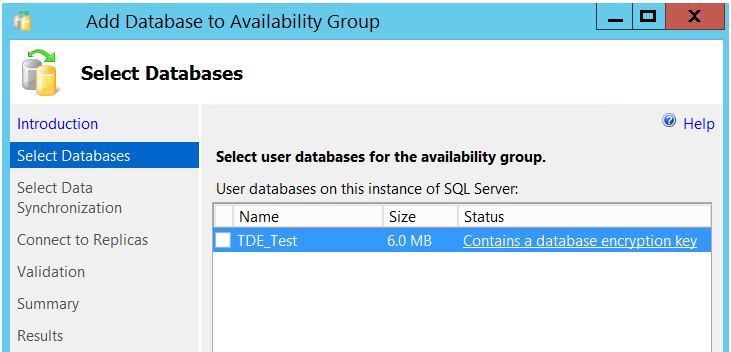
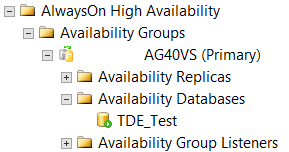
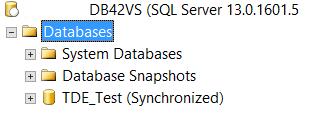
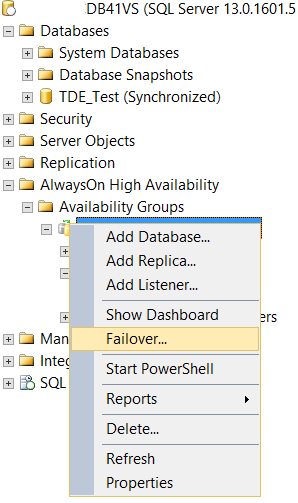
In this article, we will see how we could add a TDE encrypted database to Always On Availability Group site that is already configured. Assume that we have configured the Always On Availability Group AG40VS that contains two replicas: DB41VS and DB42VS. The DB41VS SQL Server is configured as the primary replica and the DB42 SQL server is configured as a Secondary replica. Both DB41VS and DB42VS are configured for Automatic Failover:
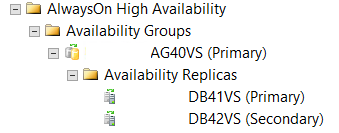
TDE_Test is a user database that contains a critical financial data, and on a monthly basis, the backup of that database is sent to the company headquarter office to verify the database backup. So that, we need to make sure that if the backup is stolen or missed, no one can browse its data. To achieve that, the database physical files should be encrypted using the SQL Server Transparent Data Encryption.
To configure the TDE on the TDE_Test database, we should first create a master key in the master database. Only one master key can be created per each SQL Server instance. All user databases that are hosted in the same SQL instance, and have the TDE enabled on it, will share the dependency upon the same master key. The below CREATE MASTER KEY T-SQL statement is used to create the master key under the master database, and this master key will be encrypted by a complex password. It is better to keep a backup of that password in a secure place: