Microsoft Azure Administration Training(Online)
By Ajay, Microsoft Certified Azure Administrator!!! (*****)
Course Description
Our Microsoft Azure Administration course teaches IT Professionals how to manage Azure subscriptions, secure identities, administer the infrastructure, configure virtual networking, connect Azure and on-premises sites, manage network traffic, implement storage solutions, create and scale virtual machines, implement web apps and containers, back up and share data, and monitor your solution.
In addition to the above topics, we cover Azure SQL and Implementing Containerized Solution as part of this course.
We also help students prepare for Microsoft Certification Exam AZ-104(Microsoft Azure Administrator) . Students will get Hands-on Labs plus over 250+ practice questions for the exam.
For course details and registration, please get in touch with Daniel at +1 267 718 1533 (Mobile & Whatsapp). We are based in Philadelphia, USA, and host affordable and comprehensive SQL Server/Azure/AWS/DevOps training programs for students around the globe.
Student Demographic
Course Introduction Video
Course Information
Ajay's Profile - Microsoft Certified Azure Administrator
Ajay is a Microsoft Certified Azure professional and has more than 4 Years of hands on experience in Microsoft Azure. He is also a Microsoft Certified Trainer, Infrastructure Engineer and DevOps enthusiast. He is an active contributor to Azure and DevOps community. His Experience in Azure Includes Azure Virtual Machines, Virtual Networks, Storage, Azure PowerShell, Azure Backup and Recovery Services, Azure Automation, Azure DevOps. He is currently working as a Senior Azure Consultant and has a passion for contributing to technical community.
Talk to Ajay
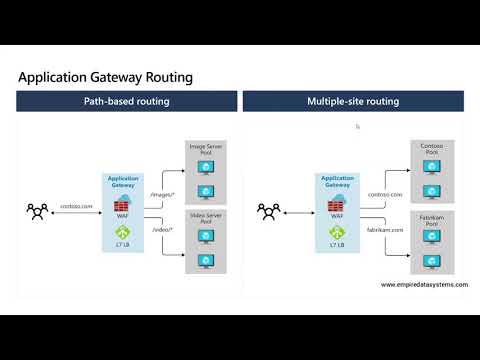
Recorded Videos of Live Class
We believe in letting our prospective students to watch recorded videos of our live training classes and decide for themselves. If you would still like to attend a one-on-one live demo session, please give call Daniel @ 267 718 1533 and he can schedule one for you at your convenience.
Course Content
Module 1: Introduction to Azure
This module introduces cloud solutions in general and then focuses on the services that Azure offers. The module goes on to describe the portals that you can use to manage Azure subscriptions and services before introducing the Azure PowerShell modules and Azure Command Line Interface (CLI) as scripting technologies for managing Azure. Finally, the module provides explanations and guidance for the use of Azure Resource Manager.
- Cloud technology overview
- Overview of Azure
- Managing Azure with the Azure portal
- Managing Azure with Windows PowerShell
- Overview of Azure Resource Manager
- Azure management services
- Use the Azure portals
- Use Azure Resource Manager features via the Azure portal
- Use Azure PowerShell
- Identify suitable apps for the cloud
- Identify services and capabilities that Microsoft Azure provides
- Use Azure portals to manage Azure services and subscriptions
- Use Windows PowerShell to manage Azure services and subscriptions
- Use Azure Resource Manager to manage Azure resources
- Use Azure Resource Manager to manage Azure resources
Module 2: Implementing and managing Azure networking
This module explains how virtual networking provides the glue that brings together VMs, web apps, and storage to enable you to publish a service onto the Internet.
- Overview of Azure networking
- Implementing and managing Azure virtual networks
- Configuring Azure virtual networks
- Configuring Azure virtual network connectivity
- Overview of Azure classic networking
- Creating an Azure virtual network by using a deployment template
- Creating a virtual network by using PowerShell
- Configure virtual networks
- Using a PowerShell script to connect a classic VNet and an Azure Resource Manager VNet
- Configuring a point-to-site VPN
- Validating virtual network connectivity
- Plan virtual networks in Azure
- Explain how to implement and manage virtual networks
- Use a deployment template and Azure PowerShell to implement Azure virtual networks
- Explain how to configure an Azure virtual network
- Describe Azure classic networking
Module 3: Implementing virtual machines
This module introduces the fundamentals of Azure Virtual Machines, and discusses the different ways in which you can deploy and manage them.
- Overview of Azure Resource Manager virtual machines
- Planning for Azure virtual machines
- Deploying Azure Resource Manager virtual machines
- Authoring Azure Resource Manager templates
- Overview of classic virtual machines
- Creating virtual machines by using the Azure portal and Azure PowerShell
- Validating virtual machine creation
- Using Visual Studio and an Azure Resource Manager template to deploy virtual machines
- Using Azure PowerShell and an Azure Resource Manager template to deploy virtual machines
- Describe main characteristics of Azure Resource Manager virtual machines
- Plan for Azure Virtual Machines
- Deploy Azure Resource Manager virtual machines
- Author Azure Resource Manager templates
- Explain IaaS v1 virtual machines
Module 4: Managing virtual machines
This module explains how to manage virtual machines including configuring virtual machines, configuring virtual machine disks, and managing and monitor virtual machines.
- Configuring virtual machines
- Configuring virtual machine disks
- Managing and monitoring Azure virtual machines
- Managing classic virtual machines
- Configuring availability
- Implementing desired state configuration (DSC)
- Implementing storage space–based volumes
- Configure virtual machines
- Configure virtual machine disks
- Manage and monitor virtual machines
Module 5: Implementing Azure App services
This module explains the different types of apps that you can create by using the Microsoft Azure App Service, and how you can select an App Service plan and deployment method for apps in Microsoft Azure. Students will learn how to use Microsoft Visual Studio, File Transfer Protocol(FTP) clients, and Azure PowerShell to deploy web and mobile apps to Azure. Additionally, they will learn how to configure web apps and use the Azure Web Jobs feature to schedule tasks, monitor the performance of web apps, and create and configure mobile apps. Lastly, they will learn how to use Azure Traffic Manager to distribute requests between two or more app services.
- Introduction to App Service
- Planning app deployment in App Service
- Implementing and maintaining web apps
- Configuring web apps
- Monitoring web apps and WebJobs
- Implementing mobile apps
- Traffic Manager
- Creating web apps
- Deploying a web app
- Managing web apps
- Implementing Traffic Manager
- Explain the different types of apps that you can create by using the Microsoft Azure App Service
- Select an App Service plan and deployment method for apps in Microsoft Azure
- Use Microsoft Visual Studio, File Transfer Protocol (FTP) clients, and Azure PowerShell to deploy web and mobile apps to Azure
- Configure web apps and use the Azure WebJobs feature to schedule tasks
- Monitor the performance of web apps
- Create and configure mobile apps
- Use Azure Traffic Manager to distribute requests between two or more app services
Module 6: Planning and implementing storage, backup, and recovery services
This module explains how to plan and implement storage, backup, and recovery services. Students will learn how to choose appropriate Microsoft Azure Storage options to address business needs. This module also explains how to implement and manage Azure Storage, and students will learn how to improve web-application performance by implementing Azure Content Delivery Networks (CDNs). Lastly, they will learn how to protect on-premises systems and Azure VMs by using Azure Backup, and they will be able to describe Azure Site Recovery capabilities.
- Planning storage
- Implementing and managing storage
- Implementing Azure Content Delivery Networks
- Implementing Azure Backup
- Planning for and implementing Azure Site Recovery
- Creating and configuring Azure storage
- Using Azure file storage
- Protecting data with Microsoft Azure Backup
- Choose appropriate Microsoft Azure Storage options to address business needs
- Implement and manage Azure Storage
- Improve web application performance by implementing Azure content delivery networks
- Protect on-premises systems and Azure virtual machines (VMs) by using Azure Backup
- Describe Azure Site Recovery capabilities
Module 7: Planning and implementing Azure SQL Database
This module explains how to plan and implement Azure SQL Database, and identify relational database services in Microsoft Azure. This module explains how to provision, configure, and manage the Azure SQL Database data-management service. Students will learn how to configure security for Azure SQL Database and monitor Azure SQL Database, as well as manage data recovery and availability for Azure SQL Database.
- Planning and deploying Azure SQL Database
- Implementing and managing Azure SQL Database
- Managing Azure SQL Database security
- Monitoring Azure SQL Database
- Managing Azure SQL Database business continuity
- Creating, securing, and monitoring an Azure SQL Database
- Migrating a Microsoft SQL Server database to Azure SQL Database
- Restoring a database
- Identify relational database services in Microsoft Azure
- Provision, configure, and manage Azure SQL Database
- Configure security for Azure SQL Database
- Monitor Azure SQL Database
- Manage data recovery and availability for Azure SQL Database
Module 8: Implementing PaaS cloud services
This module explains how to plan and deploy Azure Cloud Services. This module also explains how to manage and maintain Azure Cloud Services.
- Planning and deploying PaaS cloud services
- Managing and maintaining cloud services
- Deploying a PaaS cloud service
- Configuring deployment slots and Remote Desktop Protocol (RDP)
- Monitoring cloud services
- Plan and deploy Azure Cloud Services
- Explain how to manage and maintain Azure Cloud Services
Module 9: Implementing Azure Active Directory
This module explains how to implement Azure AD. Students will learn how to create and manage Azure AD tenants. This module also explains how to configure single sign-on (SSO) for cloud applications and resources, and implement Azure Role-Based Access Control (RBAC) for cloud resources. Lastly, this module explains the functionality of Azure AD Premium, and how to implement Azure Multi-Factor Authentication.
- Creating and managing Azure AD tenants
- Configuring application and resource access with Azure AD
- Overview of Azure AD Premium
- Administering Active AD
- Configuring SSO
- Configuring Multi-Factor Authentication
- Configuring SSO from a Windows 10–based computer that is joined to Azure AD
- Create and manage Azure AD tenants
- Configure single sign-on (SSO) for cloud applications and resources, and implement Azure Role-Based Access Control (RBAC) for cloud resources
- Explain the functionality of Azure AD Premium and implement Azure Multi-Factor Authentication
Module 10: Managing Active Directory in a hybrid environment
This module explains how to manage Active Directory in a hybrid environment. Students will learn how to extend an on-premises Active Directory domain to Azure Infrastructure as a Service (IaaS) environments and synchronize user, group, and computer accounts between on-premises AD DS and Azure AD. This module also explains how to set up SSO by using federation between on-premises Active Directory and Azure AD.
- Extending an on-premises Active Directory domain to Azure IaaS
- Implementing directory synchronization by using Azure AD Connect
- Implementing federation
- Configuring directory synchronization
- Synchronizing directories
- Extend an on-premises Active Directory domain to Azure IaaS environments
- Synchronize user, group, and computer accounts between on-premises AD DS and Azure AD
- Set up SSO by using federation between on-premises Active Directory and Azure AD
Module 11: Implementing Azure-based management and automation
This module explains how to implement Azure-based management and automation. Students will learn how to implement Microsoft Operations Management Suite (OMS) solutions and the core components of Microsoft Azure Automation. This module also describes how to implement different types of Azure Automation runbooks and manage Azure Automation by publishing runbooks and scheduling their execution.
- Implementing Microsoft Operations Management Suite (OMS)
- Implementing Azure Automation
- Implementing Automation runbooks
- Managing Azure Automation
- Configuring Automation accounts
- Creating runbooks
- Implement OMS solutions
- Implement the core components of Azure Automation
- Implement different types of Azure Automation runbooks
- Manage Azure Automation by publishing runbooks and scheduling their execution
Module 12: Implementing Containerized Solution
- Implementing docker apps in Web App
- Implementing docker apps in Azure container instances
- Implementing Azure Kubernetes Services
- Publishing docker image to Azure Container Registry
- Deploying docker image to Azure Web App
- Deploying docker image to Azure container instances
- Create AKS (Azure Kubernetes Service)
- Deploy docker image to AKS
- Host docker images in Azure Container registry
- Implement containerized application in Azure Web App service
- Implementing Azure Kubernetes services and creating Kubernetes deployment
Course Statistics
4
Years of Experience
2156
Gratified Students
26
Training Batches
6542
Training Hours
Gratified Student Feedback - From Year 2000
-
Great Azure Admin course !!!! . I would like to thank you and your team for an interesting and very informative training. I enjoyed and learned a lot.
Course: Microsoft Azure Administration
Trainer: Nitanshu Sharma
Mahlet Serekeberhan Berhane
Washington, US -
I would like to thank you and your team for an interesting and very informative training. I enjoyed and learned a lot. Sincerely, Md Kafi
Course: Microsoft Azure Administration
Trainer: Nitanshu Sharma
Md Kafi
Ashburn, US -
Wonderful Course
Course: Microsoft Azure Administration
Trainer: Nitanshu Sharma
SAYED E HOQUE
Livonia, US -
Best training and I am very satisfied with how the training is delivered.
Course: Microsoft Azure Administration
Trainer: Nitanshu
Kume Ruda
Garland, US -
It was an excellent training led by an excellent instructor. Looking forward to take my azure certification exam and get certified.
Course: Microsoft Azure Administration
Trainer: Ashish Raj
Nabel Ahmed
New York City, US -
It was Excellent class. I am looking forward to take Azure Devops training as well.
Course: Microsoft Azure Administration
Trainer: Ashish Raj
MD HOSSAIN
Woodside, US -
Ashish Raj is a very knowledgeable instructor. This is an excellent Azure Admin training provided by him in a very short of period. Now getting ready to take certification exams to expend my knowledge towards cloud technology. I would definitely recommend this course to everybody whoever wanted to learn Azure cloud. Thanks Ashish Raj!
Course: Microsoft Azure Administration
Trainer: Ashish Raj
Smruti Barot
Alpharetta, US -
Ashish has a vast knowledge on Azure.He made this course very easy to understand for student who are new to this field or who beginner to Azure. I enjoyed and learned lots. I will comeback to the Azure DevOps course.
Course: Microsoft Azure Administration
Trainer: Ashish Raj
Saumen Barua
Richmond Hill, US -
Ashish Raj is a knowledgeable, professional, and experienced trainer. It was a pleasure to take this course from him.
Course: Microsoft Azure Administration
Trainer: Ashish Raj
Fekadu Y. Amare
Alexandria, US -
EXCELLENT! Ashish is truly knowledgeable and immensely helpful. He is greatly confident and clear about his statements. He has the Karishma to make complex things make easy to understand. It was always on-time and the best thing about the class is that the links were posted each day on time, so I never had any confusions about the class. Very professional and I would definitely like to continue with this institute. Thank you for everything!
Course: Microsoft Azure Administration
Trainer: ASHISH RAJ
SILIKA ROY
Vienna, US -
I really enjoyed the course and Ashish Raj's professional approach to presenting his material and knowledge. I specially thank to Daniel who arranged the program my Mentor not only Azure Administration but also MS DBA. Thank you for a great course. Great presentation style with lots of opportunities to ask questions and talk about real life examples which all made for a really enjoyable and informative course. This has more than met my expectations. A wonderfully practical course - both personally and professionally.
Course: Microsoft Azure Administration
Trainer: Ashish Raj
Obaid Ullah
Dale City, US -
By far, this is the best Azure course !!! I learned a lot from Ashish and I am getting ready to take Azure certification exams. . As an SQL DBA, this is a perfect course to expand my career in to Azure SQL and Azure administration in general. Course is all hands-on and trainers real time experience made the difference. I also meet lot of students in this course with database and systems back ground want to get in to Azure cloud. Thank you Ashish and Daniel for hosting the course.
Course: Microsoft Azure Administration
Trainer: Ashish Raj
Abdul Aziz
Chester Springs, US -
Excellent Azure Administration training. Well worth for the money spent. !!!
Course: Microsoft Azure Administration
Trainer: Ashish Raj
Imebet Assefa Negede
Laurel, US -
A marvelous Azure Admin training! Thank you Ashish and Daniel. I will come back for Azure Devops training soon.
Course: Microsoft Azure Administration
Trainer: Ashish Raj
Biniyam Worke
Denver, USA -
Very good and comprehensive Azure Admin training class. Ashish is very good and knowledgeable trainer.
Course: Microsoft Azure Administration
Trainer: Ashish Raj
Mohammed Khalil
Philadelphia, USA -
Ashish Raj is a very knowledgeable instructor. He takes any kind of question and patiently explains it. I strongly recommend whoever is interested in taking this course.
Course: Microsoft Azure Administration
Trainer: Ashish Raj
Venkateswara Babu Vankineni
SAN FRANCISCO, USA -
Very good Azure Admin training program. Ashish is Knowledgeable, Professional and Resourceful.
Course: Microsoft Azure Administration
Trainer: Ashish Raj
Zia Hassan
SOUTHFIELD, USA -
Azure training was highly interactive and engaging. Great coverage of topics. I will recommend it.
Course: Microsoft Azure Administration
Trainer: Ravinder
BONNY B. ENOW
Rockville, United States of America -
Good instructor. Thank you for all the hands-on labs and on-premise to azure migration. Well organized, well prepared and clearly presented training. Thank you
Course: Microsoft Azure Administration
Trainer: Ravinder
Syed Salman Hyder
Troy, United States of America -
Very good training on Azure Administration. Ravinder is a very knowledgeable training. I really appreciate sharing recorded videos of each class. Thank you!!!
Course: Microsoft Azure Administration
Trainer: Ravinder
Abdul Aziz
Brooklyn, United States of America -
Superb!...Great amount of information, clearly communicated and very good interaction with the students.
Course: Microsoft Azure Administration
Trainer: Ravinder B
Jestin Thomas Maliakel
Fort Bragg, United States of America -
Ravinder is a very good Azure trainer and he is taught the subject in detail, and has very good knowledge of the product.
Course: Microsoft Azure Administration
Trainer: Ravinder
Shola Taiwo
Prague, United States of America -
A well designed and well taught Azure Training.
Course: Microsoft Azure Administration
Trainer: Ravinder
Vinod Thomas
Houston, United States of America -
What a great course on Azure platform !!!! Ravinder is an excellent teacher with vast knowledge on DBA and Azure.
Course: Microsoft Azure Administration
Trainer: Ravinder
MD RUMI
Butler, United States of America -
I find this is an excellent Azure course and very much useful for my organization's initiative of Azure Lift and Shift of the on premise IT infrastructure to cloud. Course content had good breadth and depth. Ravinder's hands-on experience with azure is amazing!!!. I would recommend this course to anyone want to get in to cloud technology or expend their IT career to cloud.
Course: Microsoft Azure Administration
Trainer: Kuenzel
Joerg
Calgary, Canada