SQL Server DBA + SQL Programming + Azure SQL Training (Online)
By Daniel AG, #1 Database Trainer in USA!!! (*****)
Course Description
Our Microsoft SQL Server DBA and SQL Programming course (both on-prem and Azure Cloud) is designed to provide a complete learning pathway for anyone seeking to master SQL Server in today’s hybrid data landscape. Whether you are an aspiring database professional starting fresh or an experienced IT specialist looking to upgrade your skills, this course offers the knowledge and hands-on expertise you need. No prior experience is required, making it accessible to beginners, while the depth of topics ensures value for seasoned professionals.
The program begins with a solid foundation in database concepts and SQL programming using Transact-SQL (T-SQL). From there, you will gain practical knowledge in installing and configuring SQL Server, managing day-to-day database administration tasks, and implementing high availability and disaster recovery strategies to ensure business continuity. The course also emphasizes performance monitoring and tuning, equipping you with the skills to maintain stable, secure, and efficient database systems.
As cloud adoption continues to reshape IT, we include a dedicated module on Azure SQL, where you will learn administration techniques unique to Microsoft’s cloud platform. You will also gain hands-on experience with database migration strategies, enabling you to confidently move workloads from on-premises SQL Servers to Azure SQL while maintaining performance and data integrity.
To enhance the quality of learning, every participant receives official Microsoft courseware, including Querying Data with Transact-SQL and Administering Microsoft SQL Server Databases. These materials align with Microsoft’s certification tracks and can serve as valuable references even after the training is completed.
With over a decade of experience training thousands of students across the USA, Canada, and beyond, we are proud to offer high-quality, affordable programs in SQL Server, Azure, AWS, AI, and related technologies. Based in Philadelphia, USA, our training combines structured teaching, real-world case studies, and practical labs to prepare you for real-life database management scenarios in both corporate and cloud environments.
For complete course details, schedules, and registration, please contact Daniel at +1 267 718 1533 (Mobile & Whatsapp).
Course Information
Daniel's Profile - #1 Database Trainer in USA!!!
Daniel brings over 16 years of experience in SQL Server Administration (on-premises and Azure), SQL Programming, business intelligence development (SSAS, SSIS, SSRS, Azure Fabric, Data Factory), data visualization (Power BI), and performance tuning. His cross-industry background gives him a unique perspective on how data design, data architecture, data management, security, and system architecture come together to deliver robust enterprise solutions.
He currently serves as a Data Architect in the healthcare industry near Philadelphia, USA, while also training and mentoring database professionals worldwide. Over the years, he has earned a reputation as one of the most trusted trainers in SQL Server, Azure Fabric, Data Engineering, Power BI, Microsoft AI, and related technologies.
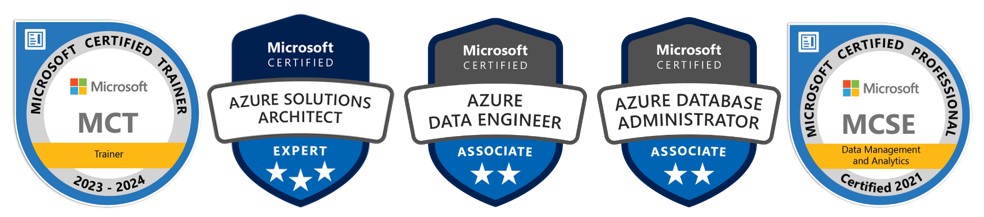
Microsoft recognizes Daniel’s expertise with the following certifications:- Microsoft Certified SQL Server DBA
- Microsoft Certified Azure Solutions Architect Expert
- Microsoft Certified Azure Data Engineer
- Microsoft Certified Trainer (MCT)
- MCSE in Data Management and Analytics
As a trainer, Daniel has mentored more than 3,000 students across the United States, Canada, and globally, helping professionals advance their careers in SQL Server, Azure, AWS, and AI. His teaching style blends real-world project experience with a structured, hands-on approach, making complex concepts easy to understand and immediately applicable.
Connect with Daniel at +1 267 718 1533 (Mobile & Whatsapp)
.Daniel's Technical Blog: https://empiredatasystems.com/blogs
Talk to Daniel
Live Training Videos
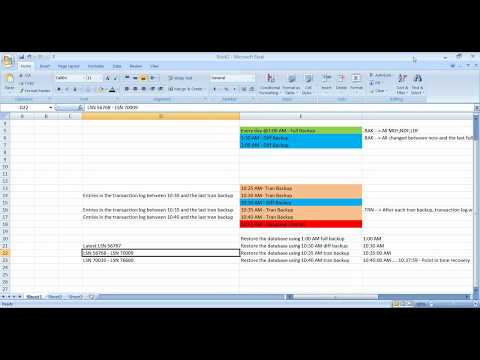
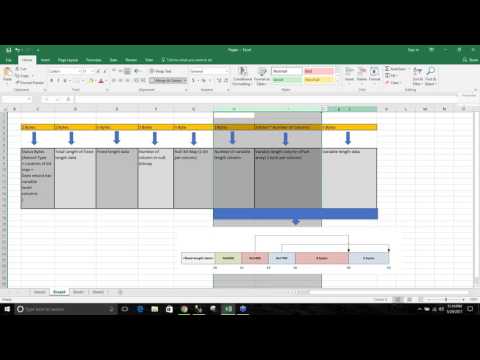
We believe in letting our prospective students to watch recorded videos of our live training classes and decide for themselves. If you would still like to attend a one-on-one live demo session, please give call Daniel @ 267 718 1533 and he can schedule one for you at your convenience.
Course Content
Part 1: SQL/TSQL Programming
RDBMS Concept
|
SQL Server Architecture
|
Creating schemas
|
Selecting appropriate data types
|
Adding constraints
|
Implementing various types of joins
|
Joining a table to itself
|
Combining queries with set operators
|
Scalar and Aggregate Functions
|
Summarizing data with aggregate functions
|
Grouping data
|
Extending group queries
|
Building crosstab reports
|
Declaring variables and parameters
|
Calling built-in scalar functions
|
Performing Extensive Analysis with Analytic Functions
|
RANK Function
|
Extending the use of aggregates
|
Building Sub-queries
|
Correlated sub-queries
|
Common table expressions (CTE)
|
PIVOT/UNPIVOT
|
Derived Tables
|
Maintaining Data
|
Transaction
|
SQL Server locking fundamentals
|
Programming procedural statements
|
Handling errors
|
Producing server-side result sets
|
Views
|
Functions
|
Triggers
|
Stored Procedures
|
Temporary Tables
|
Part 2: Database Administration
SQL Server Installation and Features
|
Storage Architecture & data redundancy
|
Essential tools
|
Creating and Managing Databases
|
Managing database space
|
Moving databases
|
Implementing Server and Database Security
|
Authorizing database access
|
Managing Permissions
|
Schemas
|
Catalog Information
|
Handling object-level permissions
|
Creating and managing indexes
|
Creating and managing Statistics
|
Transaction Log
|
System databases
|
Recovering from Disasters
|
Restoring databases
|
Export/Import data/database
|
Automating Tasks with Jobs and Alerts
|
Multistep jobs
|
Performing Database Maintenance
|
Ad hoc monitoring
|
Database Availably
|
SQL Server logs
|
Dead Locks
|
Latest Topics
|
Part 3: Performance Tuning
Executing queries
|
Performance tuning tools
|
Memory Management
|
L-L-W Issues
|
Lock Mode
|
Isolotion Level
|
Lock Granularity and Hierarchies
|
Analyzing performance using
|
Design effective SQL statements
|
Partitioning strategies for tables
|
Indexes tuning
|
Statistics Tuning
|
Part 4: Advanced DBA Topics
Advanced DBA Topics
|
Part 5: Azure SQL Infrastructure (Azure SQL + Managed Instance + Azure VM)
Azure SQL: Portfolio & setup
|
Azure SQL: Networking & access control
|
Azure SQL: Security deep dive
|
Azure SQL: Backup/restore & recovery
|
Azure SQL: HA/DR patterns
|
Azure SQL: Performance architecture & sizing
|
Azure SQL: Query performance & tuning
|
Azure SQL: Monitoring & automation
|
Azure SQL: Migration strategies
|
Azure SQL: DevOps & governance
|
Course Statistics
16
Years of Experience
3671
Gratified Students
112
Training Batches
9634
Training Hours
Gratified Student Feedback - From Year 2000
-
I am from an IT Support background but Daniel did an excellent job explaining Database concepts in detail. He was very good in accommodating individual needs in the class. I definitely recommend his training class and I am looking forward to taking his BI class. Thanks again
Course: SQL Server DBA/TSQL
Trainer: Daniel AG
Manish Shrestha
DENVER, UNITED STATES -
Simply the best training I have ever received.
Course: SQL Server DBA/TSQL
Trainer: Daniel
Mausami Patel
BROOMFIELD, UNITED STATES -
Daniel - The course training material and overview provided by Daniel is very good. He makes difficult material easy to understand. He is knowledgable and provides explanation with good examples. His class has a lot to offer. Thanks Vinay
Course: SQL Server DBA/TSQL
Trainer: Daniel
Vinay
SOUTHFIELD, UNITED STATES -
Daniel is an excellent teacher and knows his subject very well. He takes time to answer questions that students ask and make sure they understand the material. The set up of the class is very convenient for working professionals and is equipped with reading materials, lab exercises and archived classes. I would highly recommend Daniel's class for any SQL Server related training!!!!!
Course: SQL Server DBA/TSQL
Trainer: Daniel AG
UDAYA SUSARLA
ATLANTA, UNITED STATES -
I have over 13 years of experience in working with core development projects in large organizations. Most of my experience is in Java, NoSQL databases and I had to use an RDBMS backend for one of the new projects. I had no SQL background other than writing some simple select statements. This course helped me in designing an MS SQL Database from ground up and use all SQL features like Views, Functions, Stored Procedures, Triggers etc. With the help of Daniel, I was able to follow the best practices while developing for SQL Server and to be sure that I get the best performance. Daniel really knows the stuff he teaches and you can clearly see his real life experience in play in every single class. He is well prepared and always on time for the class. If you are looking for serious TSQL training, this is the course you need to attend.
Course: SQL Server DBA/TSQL
Trainer: Daniel AG
Baiju Thomas
VA, USA -
I work as a Software QA Engineer. SQL is very useful in my job. I took this course to enhance my skills and to prepare me to take the MS SQL DBA certification. I was skeptical when I heard about the course. But after directly talking to Daniel and attending the first two classes, I was impressed. I have worked in IT for more than 20 years. It is very apparent that Daniel knows his stuff. I was able to use what Daniel taught right away in my job. Daniel is very dedicated to making sure that we understand the material presented in the course. Because of what I learned from this course, I was able to obtain an increase in pay. I am currently studying to pass the MS certification and am very confident that the material and instruction that I received from taking this class will give me everything I need to pass the certification with confidence. I also plan on taking the SQL Server 2012 BI Training from EmpireData. I would recommend Daniels courses to anyone looking to further your knowledge with current technologies. Thank you Daniel!"
Course: SQL Server DBA/TSQL
Trainer: Daniel AG
Cynthia P. Harrell
Lumber City,GA, UNITED STATES -
Daniel is one of the most inspiring and motivating instructor I know, he is very organized with deep knowledge of sql server, and helpful and available to his students regardless of his busy schedule, I would recommend him to anyone interested in compressive sql server training , thank you Daniel !
Course: SQL Server DBA/TSQL
Trainer: Daniel Ag
Tigist Argaw
COLUMBUS, UNITED STATES -
Daniel is one of the most passionate instructors and has extensive knowledge of SQL Server. His course is organized very professional and comfortable for the students. He breaks complex query and present them in a very simple manner which student can understand easily. His presentation is amazing. He answers the student questions with examples so that students can understand the concept clearly. I love his interactive style in class. His communication skills as well as his presentation skills are amazing. He delivers exceptional support and guidance even after class hours. If you are looking for a professional SQL Server class , I highly recommend Daniel AG SQL Server 2012 DBA at Empire Data Systems LLC
Course: SQL Server DBA/TSQL
Trainer: Daniel
Ebenezer Olu
STERLING, UNITED STATES -
Really love this course, excellent DBA trainer, got indepth knowledge. Intend to attend Oracle and Informatica course too.
Course: SQL Server DBA/TSQL
Trainer: Daniel
Thiti yu
HICKSVILLE, USA -
One of the best MS SQL Server DBA trainer having great knowledge about the on the subject with real time experience and having great quality of teaching.Other than that I found him, he is also friendly with students and helpful as well. He has a passion of teaching , unlike other teachers. He is extremely dedicated to his students. He has a lot of patience, you can ask him to explain a things over and over until you understand, and he will ensure to make sure you got it! I highly recommend everyone who is looking best training for Microsoft SQL Sever.
Course: SQL Server DBA/TSQL
Trainer: Daniel AG
Pankaj Patel
ALLENTOWN, -
Daniel is a hard working, dedicated and passionate teacher. I searched through lot of courses before I found Daniel's. When I came across Daniel's I immediately realised that I don't have to search any more. Daniel has exceeded my expectations for the support he offers to his students. He means it when he says 'My students are THE BEST!'. I took SQL Server 2008 course more than an year ago. Recently I wanted to brush up my skills on the admin portion of it. But I lost the videos when I needed them the most. I reached out to Daniel and much to my surprise he made time to do the needful so I can get the videos back. I am very thankful to him for this. If I ever do any other SQL server course again, I will join Daniel's and I highly recommend his course to any body, any time!less
Course: SQL Server DBA/TSQL
Trainer: Daniel AG
Akhila Vithala
, -
I met Daniel through his SQL Server 2008 R2 DBA & TSQL Programming Training Course. Anyone wanting to learn SQL Server 2008 R2 DBA & TSQL should select Daniel's class without hesitation. I don't believe you can find another class of this quality. Individual attention is always available and the price can't be beat. I recommend Daniel's training to anyone.
Course: SQL Server DBA/TSQL
Trainer: Daniel AG
Scott Minard
, -
Daniel is an excellent DBA and trainer and a great person to work with.
Course: SQL Server DBA/TSQL
Trainer: Daniel AG
Indrashish Saha
, -
Daniel's dedication to impart the teachings and the subject matter is commendable. His course work and lectures were very intense and worth the time and the money. He is very conversant and erudite about SQL Server 2008; the lectures are comprehensible and precise. His presentation style is excellent and makes the class very interactive and easy to follow. He helps in preparing for the interview and goes to great extents to clear your doubts. I would highly recommend this course to those who wants to enter into database administration and also those who wants to enhance their skills. The course materials provided were up-to-date and very informative.
Course: SQL Server DBA/TSQL
Trainer: Daniel AG
Lakshmi Raghu
, -
Daniel is one of the most passionate instructors. If you are looking for a professional SQL Server class , I highly recommend Daniel AG SQL Server 2008 R2 DBA at Empire Data Systems LLC. He breaks complex query and present them in a simple manner.His presentation is amazing. He answers the student questions with examples so that students can understand the concept completely. I highly recommand his class.
Course: SQL Server DBA/TSQL
Trainer: Daniel AG
Meenu Arora Kaushal
, -
Daniel is one of the most passionate instructors. If you are looking for a professional SQL Server class , I highly recommend Daniel AG SQL Server 2008 R2 DBA at Empire Data Systems LLC. He breaks complex query and present them in a simple manner.His presentation is amazing. He answers the student questions with examples so that students can understand the concept completely. I highly recommand his class.
Course: SQL Server DBA/TSQL
Trainer: Daniel AG
Hema Mistry
, -
Daniel is one of the most passionate instructors. If you are looking for a professional SQL Server class , I highly recommend Daniel AG SQL Server 2008 R2 DBA at Empire Data Systems LLC. He breaks complex query and present them in a simple manner.His presentation is amazing. He answers the student questions with examples so that students can understand the concept completely. I highly recommand his class.
Course: SQL Server DBA/TSQL
Trainer: Daniel AG
Hema Mistry
, -
I know Daniel AG as SQL Server professional I'm taking his course online SQL Server 2008 R2 DBA. In the last month I have dealing with Daniel AG , I have learned that his course is organized very professional and comfortable for the students. If you are looking for a professional online SQL Server class with professional and educated teachers and manager, I highly recommend Daniel AG SQL Server 2008 R2 DBA at Empire Data Systems LLC.
Course: SQL Server DBA/TSQL
Trainer: Daniel AG
Mila Budzinsky
, -
Daniel is one of the most thoughtful and passionate instructors. He breaks down complex material and is able to present them in a simple manner. I love his interactive style in class. His communication skills as well as his presentation skills are amazing. He delivers exceptional support and guidance even after class hours. I am very fortunate to have him for my instructor for the SQL server course. I higly recommend him.
Course: SQL Server DBA/TSQL
Trainer: Daniel AG
Sheena Alexander
, -
Daniel is an outstanding and dedicated instructor with an excellent teaching style. He is very knowledgeable in SQL Server 2008. He also has a great positive personality that quickly establishes a trusting relationship with the students. He answers student questions with numerous examples to make sure students understood the concepts completely and has a genuine interest in achieving success for all of his students. Very Good Class!!!!! I would highly recommend Daniel's class for any SQL Server related training.
Course: SQL Server DBA/TSQL
Trainer: Daniel AG
Smruti Barot
, -
I highly recommend Empire Data Systems' Business Intelligence class. The instructor, Raj, is very knowledgeable and has a way of conveying database and BI concepts that makes it very easy to understand. He really gave us our money's worth -- and more!
Course: SQL Server DBA/TSQL
Trainer: Daniel AG
Michelle Rosenaur
, -
Awsome GURU! I can't even express how much impressed I was with his knowledge, teaching pattern & eperience. What He gave his student during the class of SQL DBA is not even compareble to any other class out in the teaching field. Thank you Daniel.
Course: SQL Server DBA/TSQL
Trainer: Daniel AG
Amrita U
, -
Daniel is easily one of the best in the business of Microsoft SQL Training. His teachings provide a great mixture of up-to-date academics with real-life experience, allowing his students to comprehend and understand difficult concepts. I cannot thank Denial enough for his knowledge, his passion and his patience. Daniel offers solutions for very competitive SQL DBA issues with imagination and unrelenting study, and his excellent reputation in the industry is well-deserved. I am honored to have had him as my SQL DBA instructor.? Top qualities: Great Results, Personable, Expert I strongly recommend everyone who is looking best training for Microsoft SQL Sever. Thank you again! Very enjoyable experience. Syed Shaji Progress DBA Husky Energy Inc. Calgary, AB
Course: SQL Server DBA/TSQL
Trainer: Daniel AG
Balu Ragoonathan
, -
Daniel is easily one of the best in the business of Microsoft SQL Training. His teachings provide a great mixture of up-to-date academics with real-life experience, allowing his students to comprehend and understand difficult concepts. I cannot thank Denial enough for his knowledge, his passion and his patience. Daniel offers solutions for very competitive SQL DBA issues with imagination and unrelenting study, and his excellent reputation in the industry is well-deserved. I am honored to have had him as my SQL DBA instructor.? Top qualities: Great Results, Personable, Expert I strongly recommend everyone who is looking best training for Microsoft SQL Sever. Thank you again! Very enjoyable experience. Syed Shaji Progress DBA Husky Energy Inc. Calgary, AB
Course: SQL Server DBA/TSQL
Trainer: Daniel AG
SYED SHAJI
, -
After taking a class with Daniel , I could say he has a teaching passionate with real time experience. I enjoyed very much it wasn't boring at all. This was the first time that i took online classes . I did not find any differnce taking a class online or classroom. The good advantage of taking classes online was recorded each any every section. Even you missed it you could catch it later. Other than that I found him, he is also friendly with students and helpful as well. I am looking forward taking another course of Business Integration soon. God Bless him.
Course: SQL Server DBA/TSQL
Trainer: Daniel AG
Curt Thiel
,